
| Yes, Starbucks takes Apple Pay. It works at the register and at the drive-thru in company-operated US stores. In the Starbucks app, you use Apple Pay to add money to your Starbucks Card. Then you pay with that balance. Some licensed stores, like airport or grocery kiosks, may work differently. Ask before you order. |
Where Apple Pay Works at Starbucks
Here is the short version in one table. After that, we go through each place one by one.
| Place | Apple Pay? | What to know |
| In-store register | Yes | Tap your iPhone or Apple Watch on the reader. |
| Drive-thru window | Yes, at most stores | Hold your phone or watch to the reader at the window. |
| Starbucks app (reload card) | Yes | Add funds to your Starbucks Card with Apple Pay. |
| Mobile Order and Pay | Not directly | You pay from your Starbucks Card balance. |
| starbucks.com | Check first | Some guides say Apple Pay is not offered there. |
| Licensed stores | Varies | Airports, grocery stores and campuses can differ. |
Apple Pay at the register
At company-operated Starbucks stores in the US, the registers have contactless readers. Apple Pay works the same way as a tap-to-pay card.
You can tell the barista you are paying by phone, or just tap when they ask. Starbucks does not add any fee for using Apple Pay.
Your iPhone, Apple Watch and other Apple devices with Wallet set up will all work. The barista never sees your real card number.
Apple Pay at the drive-thru
Most drive-thru windows take Apple Pay too. The barista holds out a reader, and you tap your phone or watch on it.
A few small habits make this smoother. Unlock your phone before you reach the window. Set your favorite card as the default in Wallet. Lower your window all the way so the reader can reach you.
If the reader does not respond, ask the barista to try again. A second tap is often all it takes.
Apple Pay in the Starbucks app
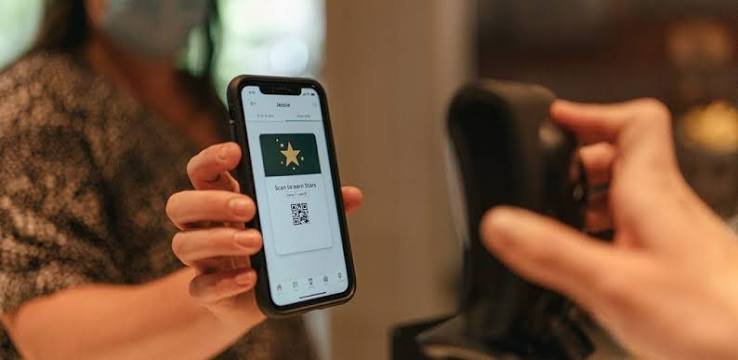
This is the part that confuses people. The Starbucks app does not charge Apple Pay for each drink.
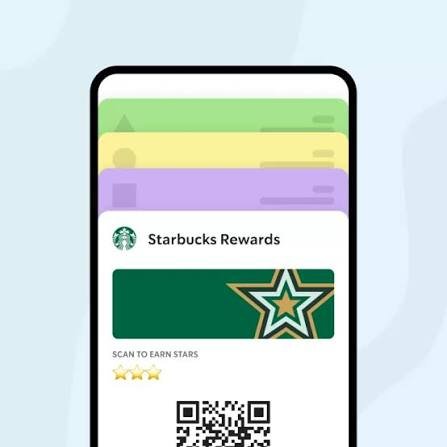
Instead, you use Apple Pay to add money to your Starbucks Card. Then you pay with that balance in store, at the drive-thru, or through a mobile order.
Think of it like a prepaid wallet. You top it up with Apple Pay, and then you spend from it. This also happens to be the easiest way to earn Stars, which we cover below.
Mobile Order and Pay
When you place a mobile order, the app takes payment from your Starbucks Card balance. So check that your balance covers your drink before you order.
If the balance is low, reload it with Apple Pay first. It takes less than a minute.
Starbucks website
Some older guides say you cannot use Apple Pay on the Starbucks website. Starbucks can change this at any time, so look at the checkout page. If Apple Pay is not shown, use the app instead.
How to Use Apple Pay at Starbucks, Step by Step
Pay at the register with iPhone
1. Open the Wallet app and make sure a card is added.
2. Double-click the side button on your iPhone.
3. Look at your phone to confirm with Face ID, or enter your passcode.
4. Hold the top of your iPhone near the reader until you see “Done” with a check mark.
If your iPhone has a Home button, rest your finger on it instead of using Face ID.
Pay with Apple Watch
1. Double-click the side button on your watch.
2. Hold the watch display near the reader.
3. Wait for the gentle tap on your wrist. That means the payment went through.
Add money to your Starbucks Card with Apple Pay
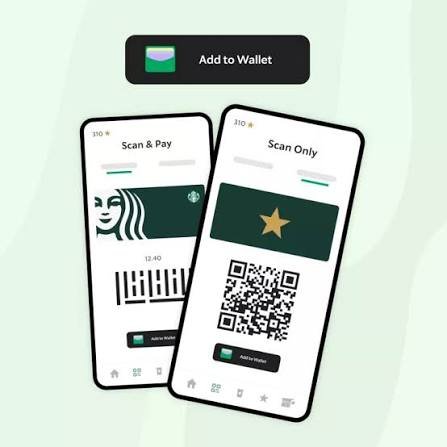
1. Open the Starbucks app and sign in.
2. Go to the Pay or Scan tab.
3. Tap Add Funds, or the reload option.
4. Choose the amount you want to add.
5. Select Apple Pay as the payment method and confirm with Face ID, Touch ID or your passcode.
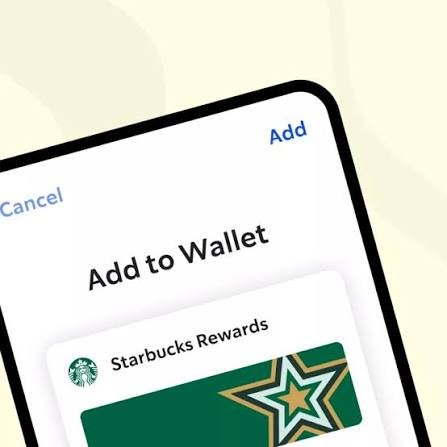
Menu names can change after app updates. If you do not see these exact words, look for “Add funds” or “Reload”.
Do You Earn Stars With Apple Pay?
Many people ask this, and the answer depends on how you pay.
When you pay with your Starbucks Card balance, the purchase is tied to your Rewards account. That is why reloading with Apple Pay is the most reliable way to collect Stars.
If you tap Apple Pay straight at the register, scan your app first. Then check the app to confirm your Stars showed up. Earning rates can change, so look at the Rewards section of your app for the latest details.
Why Use Apple Pay at Starbucks?
Apple Pay is quick. You do not dig for a card, and the tap takes only a second or two. That helps a lot when the line is long.
It is also safer than a plain card. Apple Pay uses a special device number instead of your real card number, so the barista never sees it. If you lose your phone, you can lock it or remove your cards remotely.
Finally, it is handy for travel and daily use. One phone or one watch holds all your cards, so you can pay for coffee, a snack, or a mobile order without carrying anything else.
Which Way Should You Pay?
The best choice depends on what you care about most. Use this simple guide.
• Want speed? Tap Apple Pay at the register or the drive-thru.
• Want Stars? Reload your Starbucks Card with Apple Pay and pay from the balance.
• Ordering ahead? Keep enough balance on your card, then use Mobile Order and Pay.
• Visiting a licensed store? Carry a backup card, just in case.
Many regulars mix both. They tap for a quick coffee and reload the card now and then to keep earning Stars.
Where Apple Pay May Not Work
Starbucks has two kinds of stores. Company-operated stores are run by Starbucks itself. Licensed stores sit inside other places, such as airports, grocery stores, hotels and universities.
Many licensed stores take Apple Pay. Some, however, cannot take Starbucks Card payments or give Stars. Look for the contactless symbol at the register, or just ask before you order.
Outside the US, things depend on the country and the local operator. Big cities are usually fine, but check if Apple Pay is supported in the country before you travel.
Other Ways to Pay at Starbucks
Apple Pay is not your only option. Here is how the other methods compare.
| Method | Accepted? | Note |
| Apple Pay | Yes | Register, drive-thru, and app reload. |
| Google Pay | Yes, at most stores | Works on the same contactless readers. |
| Credit and debit cards | Yes | Tap, insert or swipe. |
| Starbucks Card | Yes | Physical or digital, and best for Stars. |
| Cash | At most stores | Ask if a store looks card-only. |
Apple Pay Not Working at Starbucks? Try This
Most problems have a quick fix. Start with the first one and move down the list.
• The reader does not respond. Hold the top of your phone closer and tap again. Remove thick cases if needed.
• Your card is declined. Check that the card in Wallet is active and has funds. Try another card if not.
• Face ID fails. Enter your passcode instead.
• Apple Pay is missing in the app. Update the Starbucks app and your iOS, then sign in again.
• Auto-reload will not accept Apple Pay. Some users have reported this. Use another card for auto-reload, or reload by hand.
• You see two charges. Check your bank app first. One is often a temporary hold that drops off. If both stay, show your receipt to the store or contact Starbucks customer service.
• The reader is down. Pay with a card, or ask the barista to try another register.
One more thing worth knowing: stores can update their readers or rules over time. If something looks different from this guide, trust what the store or the app tells you.
Smart Tips Before You Go
• Keep a backup card in Wallet in case one is declined.
• Check your Starbucks Card balance before a mobile order.
• Keep your phone charged, since a dead phone means no payment.
• Reload your card when you are on a good connection, not in a rush.
• In a licensed store, look for the contactless symbol first.
Frequently Asked Questions
Does Starbucks take Apple Pay at all locations?
Most company-operated US stores do. Licensed stores can differ, so ask first.
Can you use Apple Pay at the Starbucks drive-thru?
Yes, at most stores. Hold your phone or watch to the reader at the window.
Can I pay directly with Apple Pay in the Starbucks app?
Not for each order. You reload your Starbucks Card with Apple Pay, then pay from the balance.
Does Starbucks charge a fee for Apple Pay?
No. Your own bank may have its own rules, so check with them if you see a charge.
Does Starbucks take Google Pay?
Yes, at most stores. It uses the same contactless readers as Apple Pay.
Can I use my Apple Watch at Starbucks?
Yes. Double-click the side button and hold the watch near the reader.
Do I earn Stars when I pay with Apple Pay?
The safest way is to pay from your Starbucks Card balance. If you tap at the register, scan your app first.
Can I use Apple Pay on starbucks.com?
It may not be offered. Check at checkout, or use the app.
Does Starbucks take Apple Pay in other countries?
It depends on the country and the store. Check before you travel.
So, does Starbucks take Apple Pay? Yes, and it is easy to use. Tap at the register, tap at the drive-thru, or reload your Starbucks Card in the app.
Just remember the one catch. The app uses Apple Pay to fill your card, not to pay for each drink. Once you know that, the whole process feels simple.
Next time you are in line without your wallet, you are all set. Grab your phone, double-click, and enjoy your coffee.










3 thoughts on “Does Starbucks Take Apple Pay? Easy Ways to Pay at Starbucks in 2026”